The flex office app that goes where your teams go
Web, mobile apps for iOS and Android, Microsoft Teams: BeeMyFlex is available wherever your employees already work. Booking a desk, logging a remote work day or finding a colleague takes seconds, from any device.
Personalised demo · in English · no commitment
A tool that isn't in your pocket is a tool nobody uses
Adoption is the number one success factor in a flex office project. And adoption comes down to accessibility.
Yet another tool nobody remembers to open
If logging attendance means opening a laptop, digging out the URL and signing in, half your employees simply won't do it. The tool dies, and the data with it.
Decisions get made on the move
People decide to come into the office on the morning train, and look for a desk in the lift. Without a mobile app, those key moments never reach the tool.
Switching tools breaks the habit
Your teams live in Microsoft Teams. Every round trip to an outside tool is friction that cuts usage. Flex office has to come to them, not the other way round.
Three ways in, one experience
Every employee picks their preferred channel, while the data stays perfectly in sync.
A native app in your pocket, since 2020
Available on the App Store and Google Play, BeeMyFlex has been mobile-first from day one: more than 5 years of fine-tuning the smartphone experience. Book your desk on your commute, log a remote work day from the sofa, check who's in the office before you set off. It's all there, in a few taps.
- Native iOS and Android apps
- Desk and resource booking straight from the floor plan
- Attendance and commute logging on the go
- Useful notifications: reminders and busy-day alerts
BeeMyFlex without leaving Teams
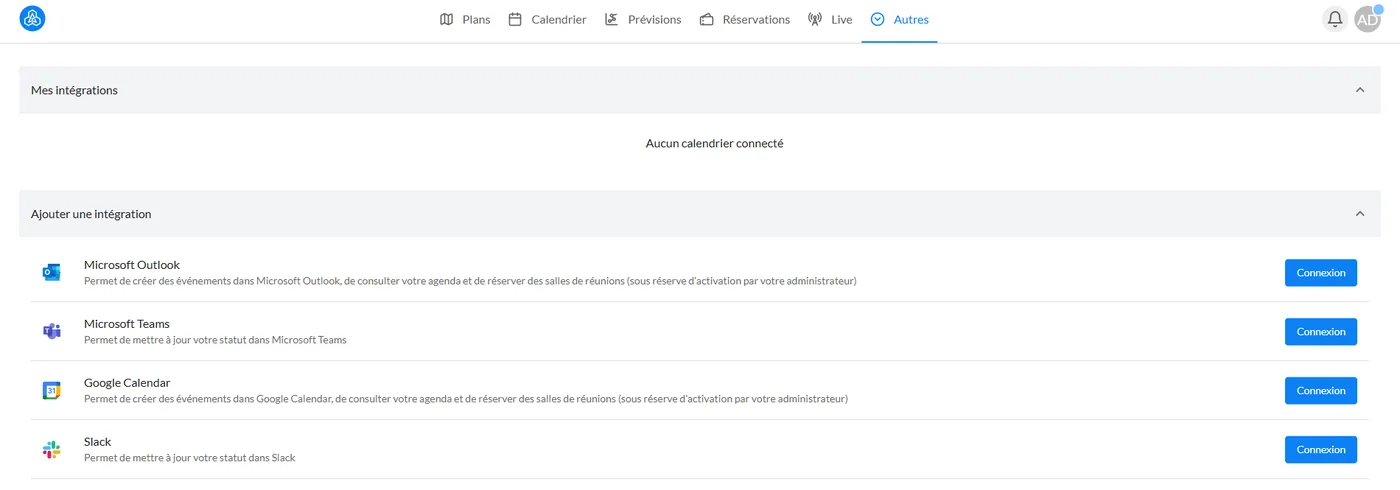
The Microsoft Teams extension puts BeeMyFlex right inside the tool where your teams spend their day. Bookings, schedules, attendance view: everything sits in a Teams tab. And your Teams status syncs automatically with where you are working that day.
- All the key features in a Teams tab
- Teams status synced automatically (office, remote work)
- Zero tool switching for Microsoft users
The full platform, in your browser
The web app opens up all of BeeMyFlex: bookings and schedules for employees, plus administration, rule settings, floor plan management and analytics dashboards for administrators, HR and facilities teams.
- Every employee and administrator feature
- Dashboards and analytics to steer your decisions
- No installation required, accessible anywhere
What changes with BeeMyFlex
Compare adoption of your flex office tool with and without a multi-platform experience.
- The tool only opens from the office computer
- Schedules get filled in late, or never
- Decisions made on the move never reach the tool
- Teams users keep switching between windows
- Adoption fades after the first month
- BeeMyFlex from your bed, the train or the lift
- Attendance gets logged the moment it comes to mind
- Book any time, from anywhere
- Everything happens in Teams, status synced
- Adoption that lasts, driven by simplicity
How to choose your flex office software in 2026
A neutral comparison matrix, the 30 questions to ask in a demo and the mistakes to avoid: everything you need to structure your project and select the right solution for your company.
- The 4 evaluation criteria and the 60-point scorecard
- The ready-to-use vendor comparison matrix
- The 30 questions to ask during demos
- The 8 most common mistakes to avoid when choosing
By submitting this form, you agree to receive the guide by email. No spam. See our privacy policy.
Everything you need to know about flex office
Practical guides, comparisons and advice to roll out flex office successfully in your company.
Flex office at work: the complete 2026 guide
Definition, challenges, rollout steps and mistakes to avoid: everything you need to know to deploy flex office in your organisation.
Read the article ComparisonHow to choose your flex office software in 2026
Selection criteria, must-have features, questions to ask in a demo: the method for making the right call.
Read the article MethodFlex office: Excel or dedicated software?
The hidden costs of spreadsheet tracking — admin time, data entry errors and unreliable figures — against what a dedicated tool brings.
Read the article StrategyThe benefits of flex office for your business
Lower property costs, more flexibility, employer appeal, CSR: the concrete benefits, backed by figures.
Read the article ImplementationHow to implement flex office
From auditing your spaces to supporting your teams, the 7 steps to a successful move to flex office.
Read the article ComparisonFlex office software comparison 2026
An overview of the main solutions on the market: criteria, strengths and differentiators for each player.
Read the articleBeeMyFlex apps: your questions answered
Answers to the questions we are asked most about this feature.
Put flex office in your teams' pockets
See the mobile app and the Teams extension in a live demo, along with their immediate effect on employee adoption.