The hybrid work schedule that brings structure to your teams
Standard week, custom statuses, team view: every employee declares their schedule in seconds, and every manager sees how their team is organised at a glance. Hybrid work finally makes sense.
Personalised demo · in French · no commitment
Without a shared schedule, hybrid work turns into guesswork
Flex office with no scheduling tool means running on Slack messages and everyone's memory.
Nobody knows who is coming in when
Office days are decided on the fly, agreed verbally and forgotten just as fast. Setting up an on-site team meeting takes a whole thread of messages.
Excel schedules that are never up to date
The shared team schedule file gets filled in every other week, by half the employees. The data is out of date before anyone even opens it.
Tedious data entry that puts people off
When declaring your week takes more than two minutes, employees stop doing it. Adoption collapses and the tool becomes one more constraint.
Simple to fill in, powerful to use
BeeMyFlex makes declaring attendance so simple that your teams actually do it, and finally gives you a reliable view.
The standard week that fills itself in
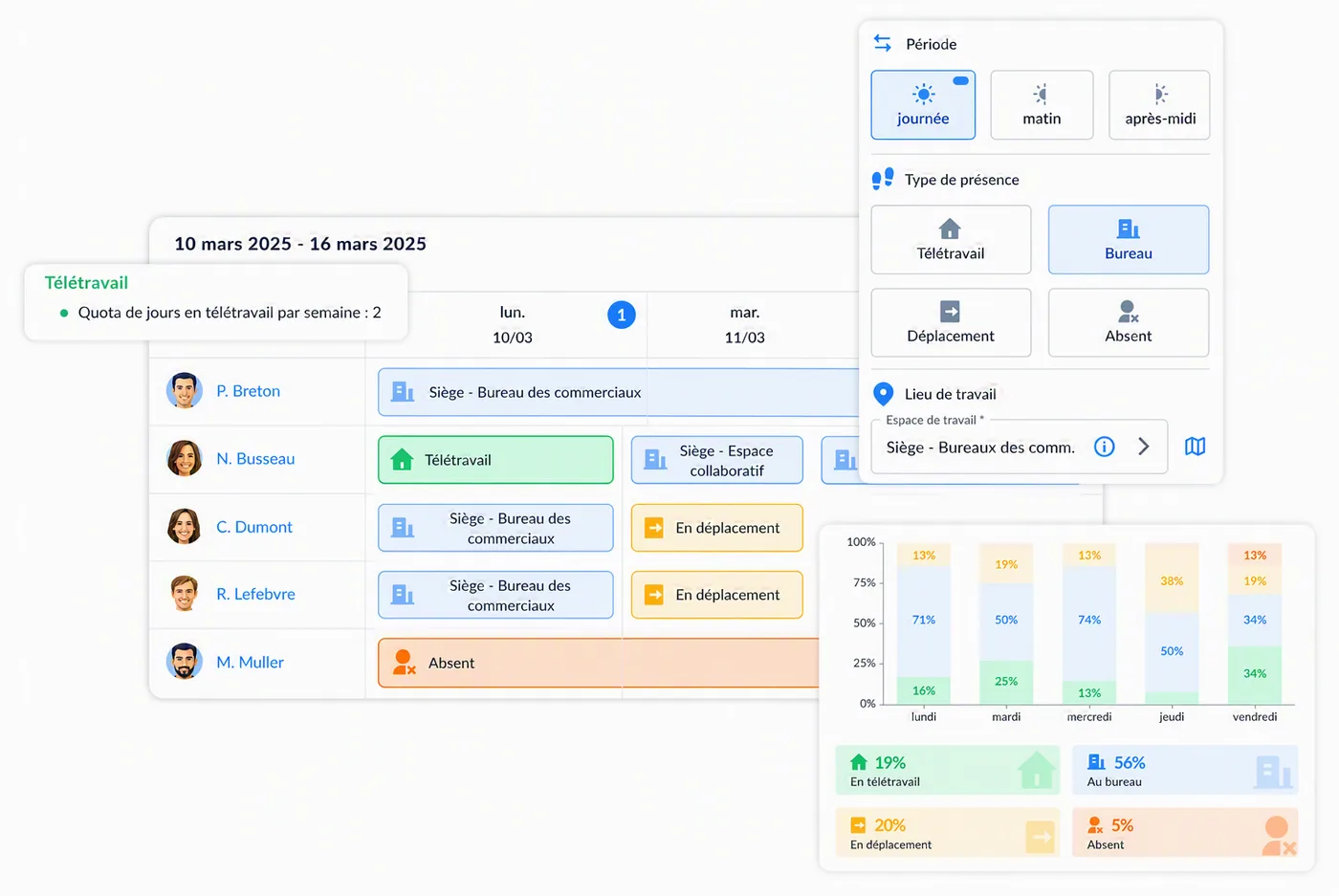
Each employee sets their standard week once (Monday and Tuesday in the office, the rest remote), and their schedule is pre-filled automatically. All they declare are the exceptions. Public holidays are handled automatically by country.
- Standard week with automatic recurrence
- Duplicate a whole period in one click
- Customisable statuses: office, remote work, business trip, absence
- Public holidays handled automatically by country
Attendance forecasts for the whole team
Managers see their team's schedule by week or by month, instantly spot the days that have not been filled in, and can set up shared office days by inviting their team.
- Team schedule view by week or by month
- Visual flagging of unfilled schedules
- Filters by team, group or site
- Invitations for employees to meet up at the office
Connected to your calendars and your HRIS
Absences entered in your HRIS are imported automatically. Statuses sync with Google Calendar, Outlook, Teams or Slack. And for executive assistants, account delegation lets them manage someone else's schedule.
- Automatic import of absences from the HRIS
- Google Calendar, Outlook, Teams and Slack synchronisation
- Account delegation to manage someone else's schedule
- Support for part-time and on-call arrangements
What changes with BeeMyFlex
Compare how hybrid work runs with and without a shared schedule.
- Office days decided on the fly, forgotten just as fast
- An Excel file filled in by half the team
- On-site team meetings impossible to plan
- Absences re-entered manually from the HRIS
- No reliable data on actual remote work
- Standard week pre-filled, exceptions in 2 clicks
- A complete, up-to-date team schedule
- Shared office days organised in advance
- Absences imported automatically
- Reliable attendance data for HR
How to choose your flex office software in 2026
A neutral comparison matrix, the 30 questions to ask in a demo and the mistakes to avoid: everything you need to structure your project and pick the right solution for your company.
- The 4 evaluation criteria and the 60-point scorecard
- A ready-to-use vendor comparison matrix
- The 30 questions to ask during demos
- The 8 most common mistakes to avoid when choosing
By submitting this form, you agree to receive the guide by email. No spam. See our privacy policy.
Everything you need to know about flex office
Practical guides, comparisons and advice to roll out flex office successfully in your company.
Flex office at work: the complete 2026 guide
Definition, challenges, implementation steps and mistakes to avoid: everything you need to know to roll out flex office in your organisation.
Read the article ComparisonHow to choose your flex office software in 2026
Selection criteria, must-have features, questions to ask in a demo: the method for getting it right.
Read the article MethodFlex office: Excel or dedicated software?
The hidden costs of spreadsheet tracking, from admin time and data entry errors to unreliable data, versus what a dedicated tool delivers.
Read the article StrategyThe benefits of flex office for your company
Lower property costs, more flexibility, employer appeal, CSR: the concrete benefits, backed by figures.
Read the article ImplementationHow to implement flex office
From auditing your spaces to supporting your teams, the 7 steps to a successful move to flex office.
Read the article ComparisonFlex office software comparison 2026
An overview of the main solutions on the market: criteria, strengths and differentiators for each player.
Read the articleEverything about hybrid scheduling with BeeMyFlex
Answers to the most common questions about this feature.
Bring structure to your teams' hybrid work
Book a demo to see how your employees will finally fill in their schedule, and how your managers will get their visibility back.